A premium, lightweight AAC visual talker and daily schedule assistant designed for children, speech-impaired individuals, and their caregivers.
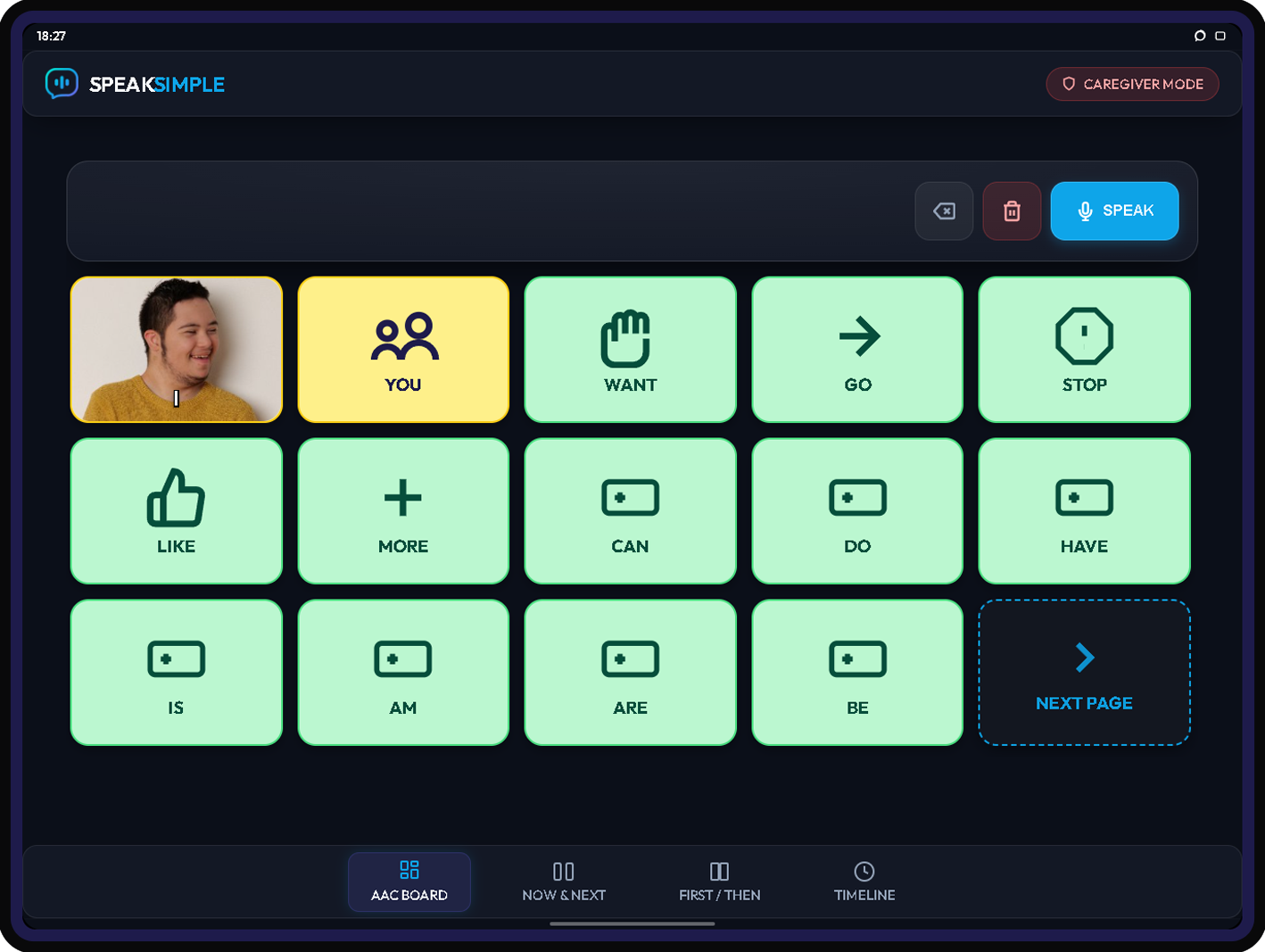
A modern, simplified tool focused on communication speed, visual structure, and zero friction.
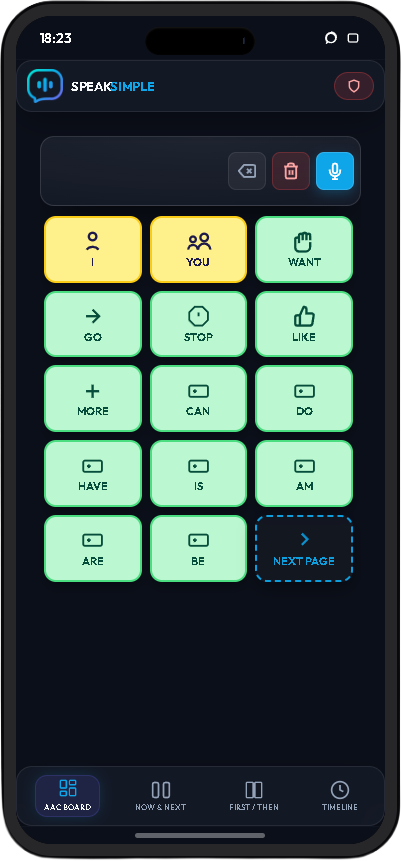
An intuitive 6-card visual grid utilizing clear emojis, custom uploaded photos, and text. High-contrast colors based on the accessible Fitzgerald Key help to identify word categories easily.
An integrated calendar and "Now & Next" timeline blocks display the child's daily routines step-by-step, helping reduce anxiety and providing structure for transitional activities.
Caregivers can edit cards, grids, and schedule timelines on their phone or computer. The updates are instantly synced to all paired devices.
Follow these guides to add SpeakSimple to your screen and pair your devices.
Open Safari and navigate to speaksimple.app on your device.
Tap the Share button in Safari's menu bar.
Scroll down the share list options and select "Add to Home Screen".
Tap "Add" in the top-right corner. SpeakSimple is now installed on your device as a native app!
Launch Chrome and go to speaksimple.app on your device.
Tap the three vertical dots in Chrome's top-right toolbar.
Select "Install app" or "Add to Home screen" from the dropdown list.
Confirm the installation prompt. SpeakSimple will now appear as a native app on your home screen!
Launch the app at speaksimple.app and sign in. Setting up a caregiver profile will initialize your primary master terminal dashboard.
Set a secure 6-digit passcode. This PIN restricts entry to setup dashboards and configuration panels on shared devices, keeping the recipient locked within the speech grids.
On the tablet/device you wish to place in front of the child, load the app and click "Pair Device". A 6-digit verification code will display on the screen. Enter this code into your Caregiver dashboard to activate the slot.
Publish changes from your caregiver terminal. Your customized speech cards, voice settings (rate/pitch), and visual schedules sync to all paired tablets instantly.
Get answers to standard questions and learn troubleshooting tips.
Our license model supports **1 Caregiver Terminal** session and up to **5 Paired Screen Devices** (which are the read-only visual communicator devices for recipients).
The Caregiver terminal is dedicated strictly to managing profiles, configuring schedule timelines, and creating cards.
To secure your setup and enforce licensing, SpeakSimple permits exactly **1 active Caregiver device session** per license.
If you log into your caregiver account on a desktop computer, your mobile phone caregiver session will automatically sign out. You can still pair up to 5 passive screens, which will remain active and synced regardless of caregiver sign-outs.
SpeakSimple runs as a Progressive Web App (PWA) that caches resources for offline use. When we roll out new features, you can force-reload all connected screens remotely:
1. Go to your **License & Device Management** section on your Caregiver dashboard. 2. Click **Force Refresh All Devices**. This sends a signal that instantly deletes browser caches, unregisters the Service Worker, and reloads all paired screen terminals.
If your caregiver device is running an outdated version, swipe the app away from your mobile device's task switcher (force-close) and reopen it, or pull-to-refresh.
Once initial syncing is completed, all visual schedules, card grids, custom pictures, and system settings are saved in the device's local IndexedDB and service worker caches.
The paired screen can communicate and display the visual schedule entirely **offline** without an internet connection. An active internet connection is only needed when you publish modifications from the caregiver dashboard.
If you forget your 6-digit caregiver PIN, you can request a reset email from the settings unlock screen. Click Forgot PIN? Reset Passcode, and you will be logged out. When logging back in you will be asked to set your pin again.
One-time payment. Lifetime access. No recurring subscriptions.
Complete visual talker access for a single household license.
Help keep SpeakSimple ad-free and accessible for families worldwide.